December 2026 Calendar Wallpaper gives an ordinary glance at your desktop or phone a second purpose. Look at it while arranging a meeting and you can see that December 15 falls on a Tuesday without opening an app. Choose a wide image for a desktop or a tall image for a phone. These calendars are static pictures, so the dates stay fixed while your usual calendar app continues to handle appointments, alerts, and changes.
December 2026 Calendar Wallpaper: Desktop and Mobile
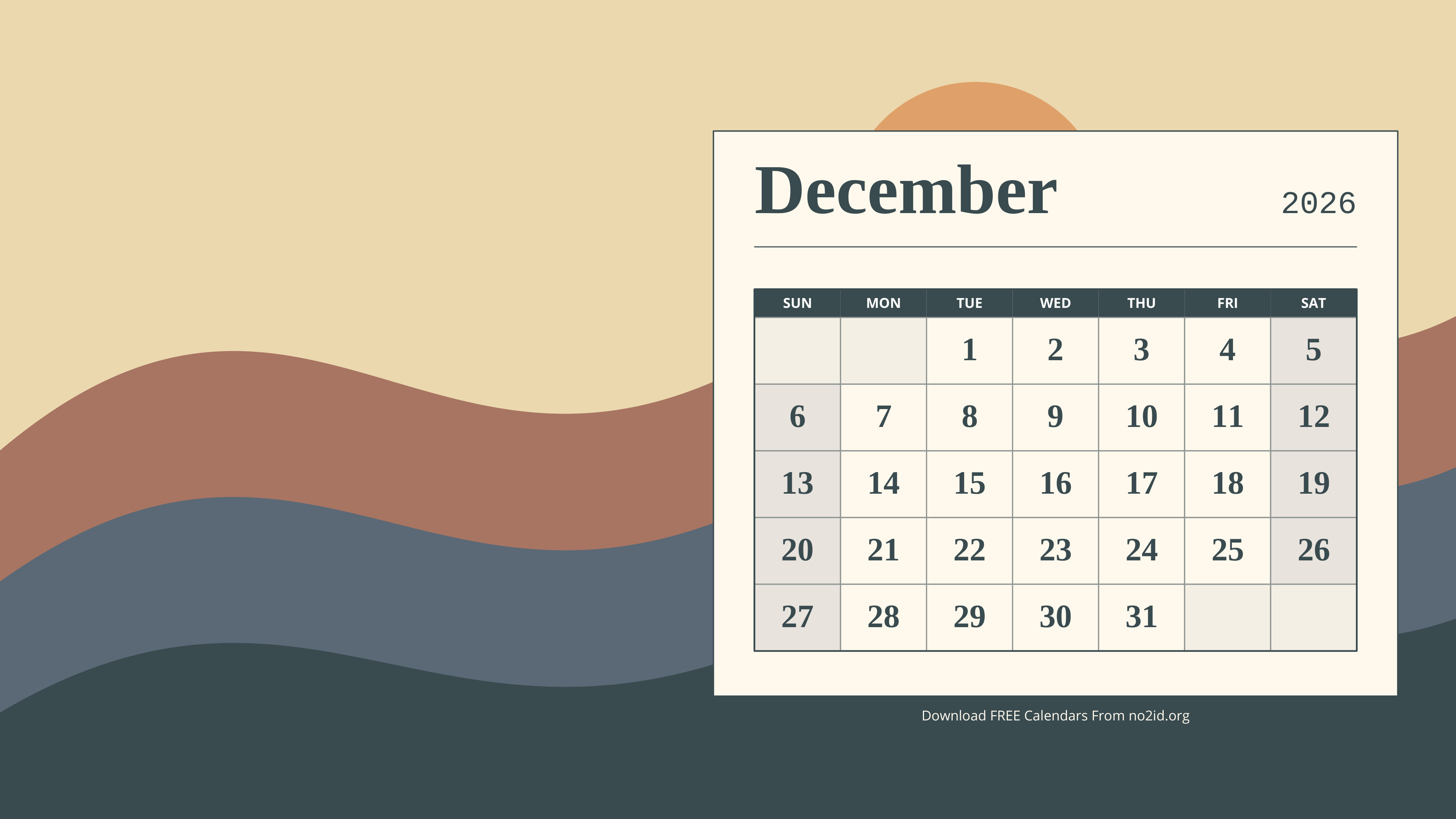
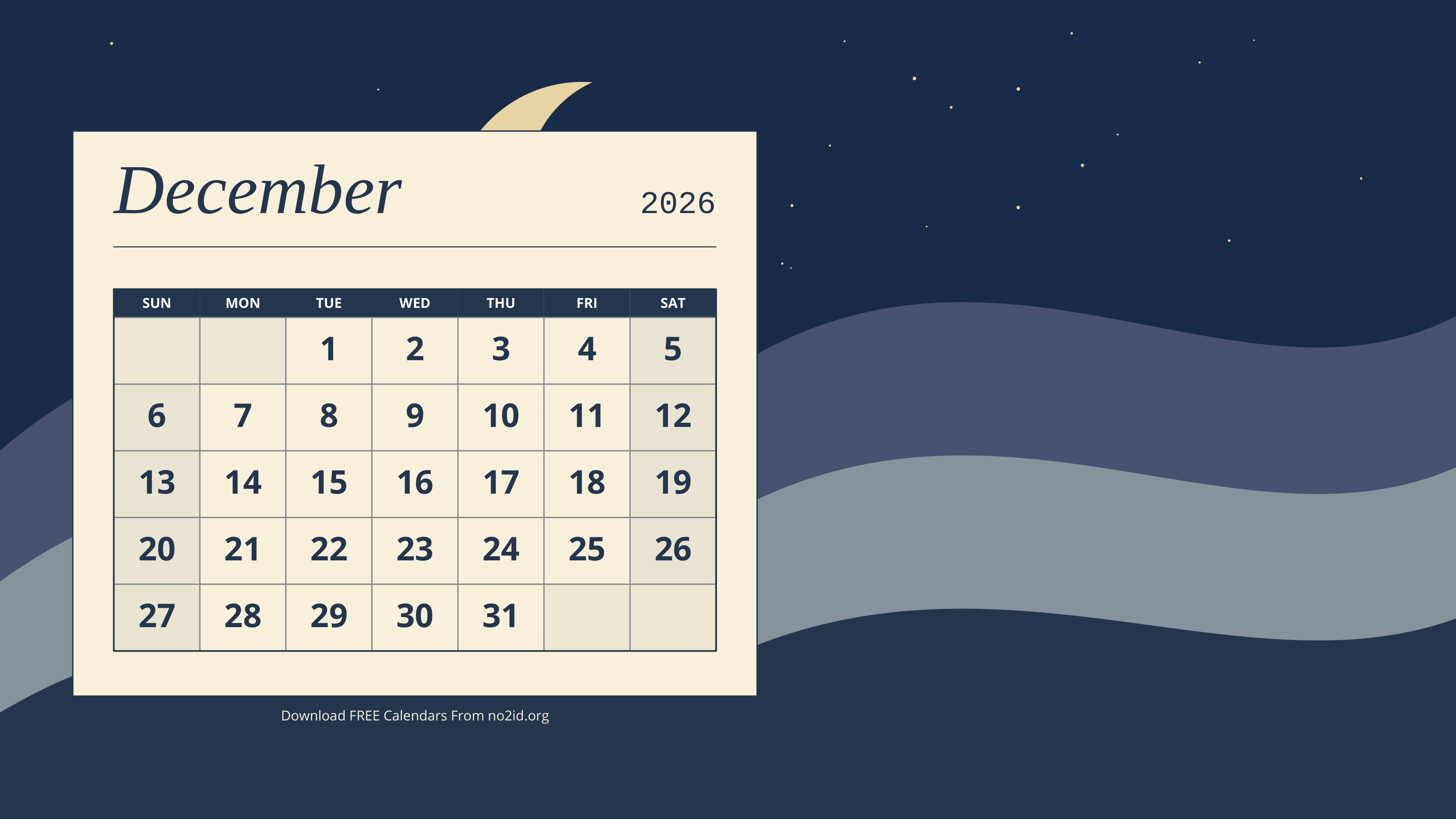
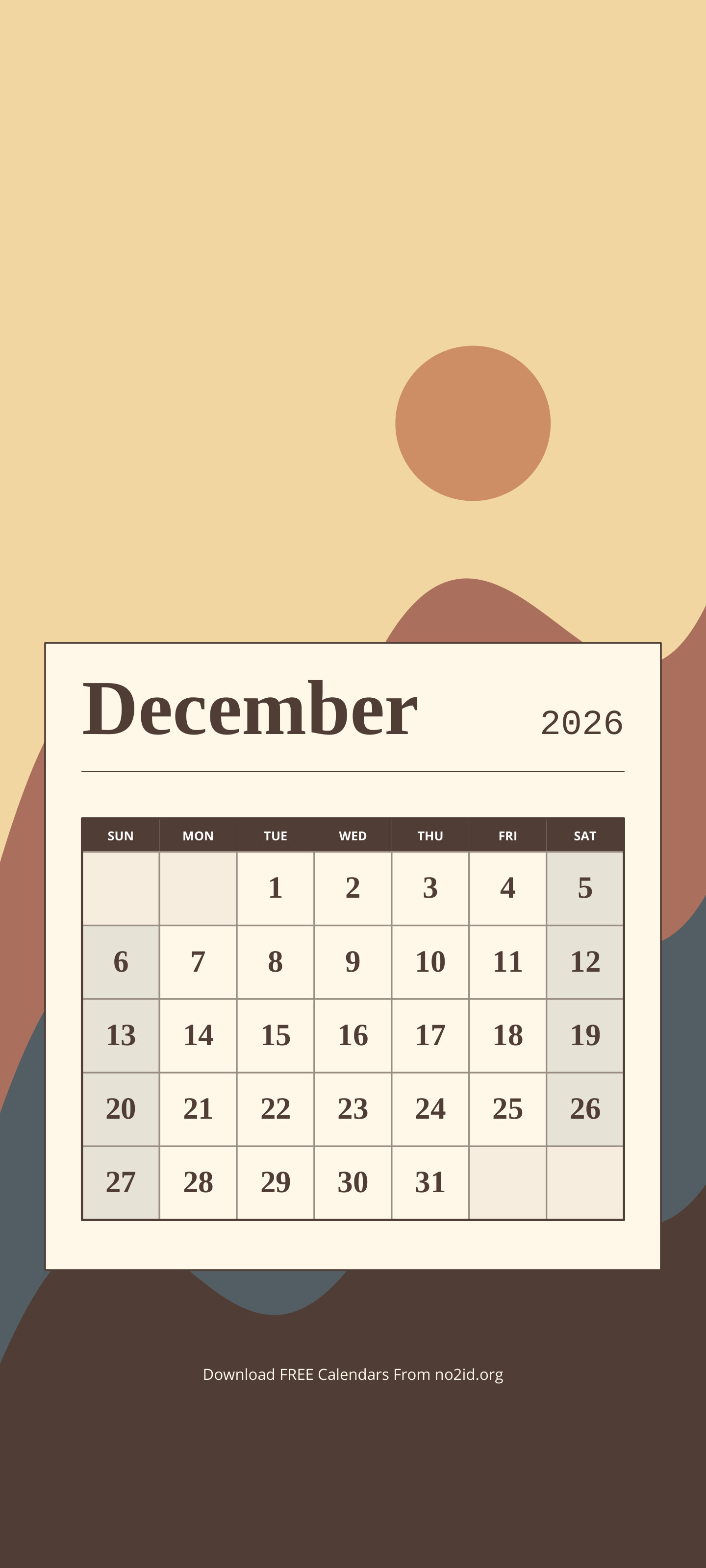
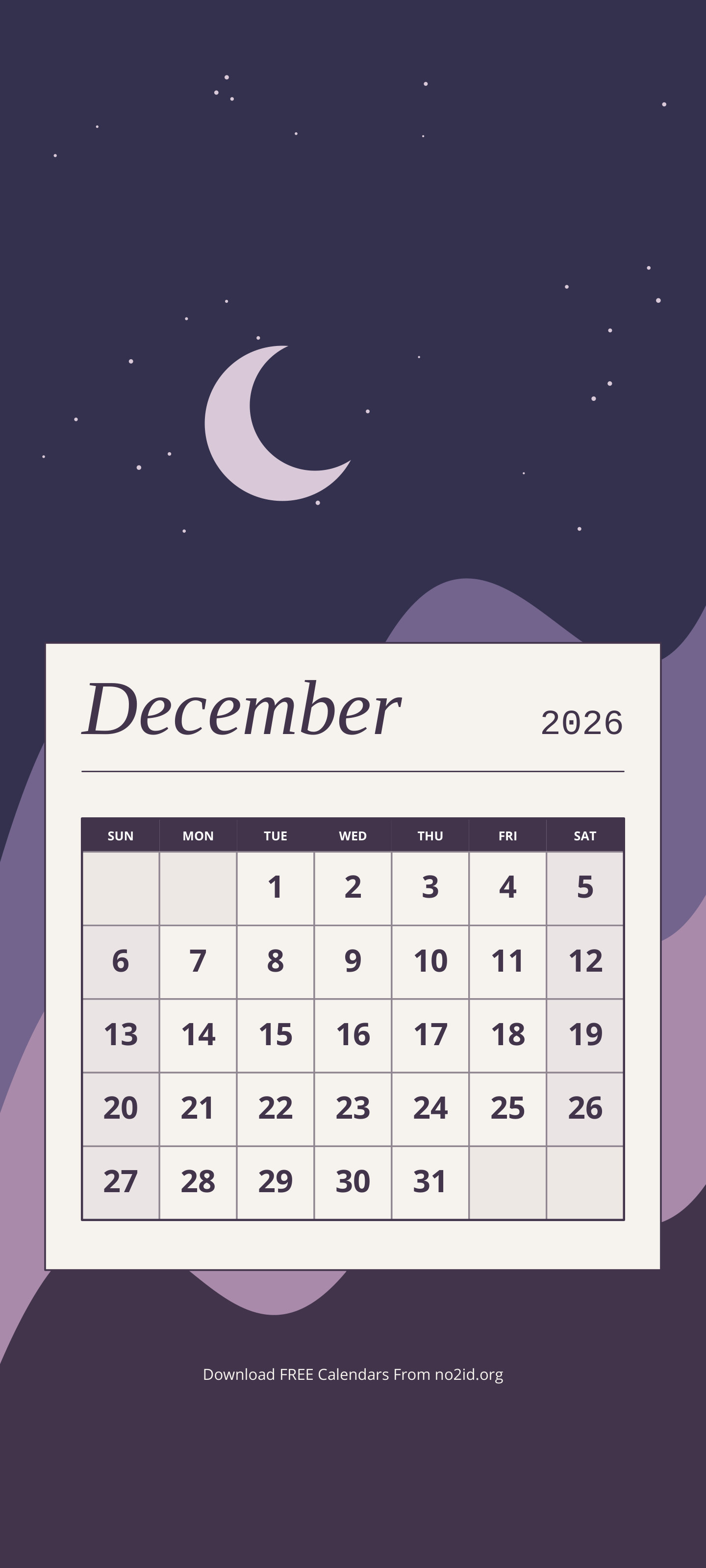
Choose a December 2026 Calendar Wallpaper for Your Screen
The desktop options measure 3840 by 2160 pixels, a wide 16-to-9 shape. The phone options are 1440 by 3200 pixels, a much taller 9-to-20 shape. A screen can have fewer pixels and still share the same proportions. For example, 1920 by 1080 has the same shape as the desktop image. That match makes it easier to show the complete picture without chopping off the side columns or leaving large unused bands.
Compare the image to the actual display on which it will appear. A laptop attached to an ultrawide monitor may put the same wallpaper through two different crops. A folding phone may use different shapes for its cover and inner displays. Hold the device the way you usually read it and check both edges of the calendar. If the first or last weekday disappears, preserving the whole image is more important than filling every pixel with artwork.
| Screen situation | Start with | Check in the preview |
|---|---|---|
| Widescreen monitor | Desktop image | Left and right date columns |
| Tall phone | Mobile image | Top clock and lower shortcuts |
| Two monitors of different widths | Separate previews | Last weekday on each display |
| Phone with prominent widgets | Less crowded home-screen page | Visibility of all five date rows |
Fit, Fill, and Stretch in Plain English
Picture the image as a sheet of paper held behind a cardboard window. Filling the window may cut off a little artwork wherever the two shapes differ. Fitting the whole sheet leaves empty space where the proportions do not match. Stretching the sheet changes the shape of its letters and numbers. Some devices use different labels or offer only a pinch-and-move preview. The same window test still works. Can you see every date, and do round letters still look round?
Set Up the Desktop Without Losing Icons
- Download the original wide JPG and save it somewhere you will recognize when choosing a background image. Preview the downloaded file so you know how the full composition looks.
- Use the computer’s background picker to select the file for the intended display. Begin with an option that preserves the complete image.
- Return to the desktop and look for Tuesday the 1st and Thursday the 31st. Then read an entire middle row to catch an icon covering a number.
- Move a few shortcuts to an open area or put them in a folder. Keep the spot where new downloads normally land clear of the day grid if you can.
On a shared family computer, try the December 2026 calendar wallpaper with the desktop in its everyday condition. Closing every window and hiding the taskbar can make a setup look perfect during a test, but the calendar should be readable when someone is actually looking for it. Check the display from the chair where the shortest reader sits. On a large monitor across a room, tiny text can be hard to read even when it looks sharply printed up close.
Fit a December 2026 Calendar Wallpaper Around the Phone Clock
The lock screen is a particularly demanding home for a dated picture. A clock, a row of notifications, and a pair of shortcut buttons all compete with the grid. Add the tall version in the wallpaper picker and check it with a normal clock size. If the time lands on the month name, shift the picture slightly. If the shift hides a weekday, try the other tall composition or put the calendar on a quieter home screen.
- Check one bright screen and one dim screen. Your usual evening brightness level can make thin lettering harder to pick out.
- Test with a real notification visible so you know which dates may be covered until the notification clears.
- Look at both the locked and unlocked views if your phone uses the image in both places.
- Keep the saved original in a recognizable album. It is easier to start over from a clean picture than from a screenshot containing app icons.
Use the Grid When a Message Arrives
Suppose a friend offers either the second Saturday or the following Sunday for a visit. Find the first Saturday, December 5, and move down to the 12th. The Sunday immediately after that is December 13. A December 2026 calendar wallpaper makes this lookup quick when a message is vague, but respond with the full date so both people have the same weekend in mind. Add the confirmed plan to whatever system sends your reminders.
Near the end of the month, check that the background on a second display changes along with the first one. Someone working from a laptop during the week and a desk monitor on weekends may otherwise see two different months. Keep December in a dated folder if you enjoyed the artwork. A saved copy of the original also lets you turn the screen image into a small print without capturing the clock or notification text.
If you want to compare the two phone compositions, use the same lock screen and the same clock size for both previews. Seeing one example with the screen nearly empty and another full of notifications makes the comparison less useful. Pick the one that lets you find an ordinary date, such as Wednesday the 9th, with the least repositioning.
Use the December 2026 calendar printable for a matching paper reference. For a dark screen, see the black-background PNGs. The PNG and JPG calendar images are useful when inserting a calendar into a document.
1 thought on “December 2026 Calendar Wallpaper for Desktop and Mobile”